

Imagine working on a critical project with deadlines breathing down your neck, emails piling up, and repetitive tasks eating away your focus. Now, imagine finishing all of that in half the time—without losing quality. That’s not science fiction. That’s the power of AI workflows in action.

Most professionals today—whether in marketing, HR, operations, or finance—are drowning in repetitive tasks. You spend hours switching between tools, compiling reports, updating sheets, or drafting the same type of emails over and over again. It’s exhausting, inefficient, and frankly, it’s holding you back from doing the high-value, creative work that actually moves your career forward.
In this guide, you’ll discover how AI workflows can automate 70% of your daily tasks, help you focus on what truly matters, and even make you look like the most productive person in the room. We’ll break down practical examples, real-world use cases, and plug-and-play ideas so you can start applying them today—no coding, no tech degree required.
Contents
- 0.1 What Are AI Workflows?
- 0.2 Why AI Workflows Matter in 2025 ..?
- 0.3 How AI Workflows Work (Step-by-Step)
- 0.4 AI Workflow Examples by Industry (Practical, Real & Easy to Apply)
- 0.4.1 1. Marketing & Advertising – Automating Campaign Planning
- 0.4.2 2. Human Resources (HR) – Smarter Recruitment Process
- 0.4.3 3. Finance & Accounting – Streamlining Reports & Compliance
- 0.4.4 4. Healthcare – Efficient Patient Data Management
- 0.4.5 5. Education & Training – Personalized Learning at Scale
- 0.5 Benefits of Using AI Workflows
- 0.6 Challenges & Common Mistakes to Avoid in AI Workflows
- 1 How to Create Your First AI Workflow (Beginner Friendly)
- 1.1 1. Introduction – Why AI Workflows Are a Game-Changer
- 1.2 2. What Exactly Is an AI Workflow? (And How It Works)
- 1.3 3. Benefits of Creating an AI Workflow
- 1.4 4. The Tools You’ll Need (Beginner-Friendly)
- 1.5 5. Step-by-Step: How to Create Your First AI Workflow
- 1.6 6. Beginner-Friendly Example – AI Content Publishing Workflow
- 1.7 7. Common Mistakes Beginners Make (And How to Avoid Them)
- 1.8 8. Future-Proof Your Workflow
- 1.9 9. Final Thoughts – Start Today, Improve Tomorrow
- 1.10 Recommended AI Workflow Tools in 2025 (List + Use Case)
- 1.11 Conclusion: The Future Belongs to Those Who Act Now
What Are AI Workflows?

If you’ve ever felt overwhelmed juggling repetitive tasks, switching between apps, or manually pulling data together, you’re going to love AI workflows.
In simple terms:
An AI workflow is a structured sequence of steps—powered by artificial intelligence—that automates tasks, makes decisions, and produces results with minimal human effort. Think of it as your digital co-worker that works 24/7, follows instructions perfectly, and even learns to improve over time.
Unlike traditional workflows that follow rigid “if-this-then-that” rules, AI workflows are dynamic. They can adapt, process large volumes of information, and provide smarter outputs by analyzing patterns in real-time.
📌 Example to Make It Crystal Clear
Let’s say you’re in marketing and need to generate weekly performance reports:
-
Traditional way: Open Google Analytics → Download reports → Put data into Excel → Create graphs → Write insights → Email to your boss.
-
AI workflow way: Connect your analytics tool to an AI automation platform → AI pulls the data, analyzes it, creates visual reports, writes insights, and sends them directly to your boss—all while you focus on strategy.
🔍 Why AI Workflows Are a Game-Changer
-
Time Savings: Automate repetitive, manual tasks.
-
Better Accuracy: AI reduces human errors in data handling.
-
Scalability: Run hundreds of tasks simultaneously without burnout.
-
Smarter Decisions: AI doesn’t just follow steps—it learns and suggests improvements.
🚀 Where AI Workflows Are Used
AI workflows are transforming industries across the board:
-
Sales: Lead scoring, email follow-ups, proposal drafting.
-
Human Resources: Resume screening, interview scheduling.
-
Finance: Fraud detection, expense management.
-
Customer Service: Chatbots, ticket routing, sentiment analysis.
-
Manufacturing: Predictive maintenance, supply chain optimization.
💡 Pro Tip:
If you’re just starting, begin with simple AI workflows for repetitive tasks (like email categorization or report generation) before moving to advanced ones (like predictive analytics or custom machine learning models). This helps you see quick wins and gain confidence in AI automation.
Why AI Workflows Matter in 2025 ..?
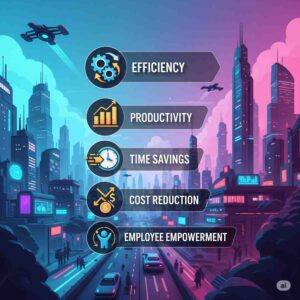
If 2023 was the year AI went mainstream, 2025 is the year it becomes mission-critical. The global workplace is shifting faster than ever, and Indian professionals are right in the middle of this transformation.
Here’s the reality: AI isn’t replacing jobs—it’s replacing tasks. The people who learn to harness AI workflows will not only work faster but also prove their indispensable value to employers.
The AI Shift in the Workplace
In 2025, nearly 80% of repetitive knowledge work—from drafting reports to analyzing spreadsheets—can be automated using AI-powered workflows. This means:
-
More time for high-value, strategic tasks
-
Fewer errors in routine processes
-
Higher productivity without burnout
For Indian working professionals, this is a golden opportunity. Companies are looking for employees who can deliver more output with the same (or fewer) resources. AI workflows help you do exactly that.
India’s Market Readiness
India is not just adopting AI—it’s racing ahead. According to Nasscom, the Indian AI market is expected to grow to $17 billion by 2027, with a huge chunk driven by enterprise AI adoption.
-
IT & Software: Automating client reports, testing, and code reviews
-
Marketing & Sales: Generating campaigns, analyzing leads, personalizing outreach
-
Finance: Fraud detection, financial forecasting, compliance
-
HR: Resume screening, employee onboarding, skill gap analysis
These aren’t “future possibilities” anymore—they’re current realities.
Why 2025 is the Turning Point
The difference between those who thrive and those who struggle in 2025 will come down to this:
-
Do you know how to work with AI effectively?
-
Can you integrate AI into your daily workflow without slowing down?
AI workflows matter because they:
-
Save Hours – Automating tasks you once spent days on
-
Increase Accuracy – AI doesn’t “forget” steps or skip details
-
Boost Visibility at Work – You become the go-to problem solver
-
Secure Job Security – AI skills are now a bargaining chip for promotions & raises
💡 Pro Tip:
If you can show your employer a before-and-after impact of using AI workflows—such as “reduced 12 hours of reporting to 1 hour”—you instantly make yourself irreplaceable in the team.
How AI Workflows Work (Step-by-Step)

🧠 The Magic Behind AI Workflows
If you’ve ever wondered how businesses can automate complex tasks and still make them feel human—AI workflows are the secret sauce.
They’re not just about throwing AI into a task and hoping for the best; they’re about creating a clear, repeatable process where AI handles the heavy lifting while you stay in control.
Let’s break it down step-by-step so you can see exactly how AI workflows work and how you can start using them right away.
Step 1: Define the Goal & Outcome
Every AI workflow starts with clarity.
-
What exactly do you want to achieve?
-
Is it generating leads, writing blog posts, responding to customer queries, or analyzing data?
Example:
If you run a marketing agency, your goal could be “Generate 50 qualified LinkedIn leads per week”.
📌 Pro Tip: The clearer your goal, the easier it is to choose the right AI tools and prompts.
Step 2: Identify the Data & Inputs Needed
AI is only as smart as the data you feed it.
-
For content workflows → This could be keywords, target audience, tone of voice, and brand style guide.
-
For sales workflows → This might be customer lists, email templates, or CRM data.
Example:
If your workflow is about content creation, your input could be: “Topic: AI in HR; Audience: Indian HR professionals; Goal: Lead magnet blog”.
Step 3: Choose the Right AI Tools
This is where most people get stuck—but it’s simple when you know your purpose.
-
For writing & research: ChatGPT, Jasper, Writesonic
-
For automation: Zapier, Make (Integromat)
-
For data handling: Excel with AI plugins, SheetAI, or Notion AI
📌 Pro Tip: Use tools that integrate with each other to avoid “islands” of automation.
Step 4: Create the Step-by-Step Workflow
This is the blueprint. Break the process into logical stages.
Example: AI Blog Creation Workflow
-
Research – AI finds trending topics and keywords.
-
Outline – AI generates a structured blog outline.
-
Draft – AI writes the first draft based on your inputs.
-
Human Edit – You refine the tone, add examples, and fact-check.
-
Publish & Distribute – AI schedules and shares on social media.
The result? A consistent process you can repeat daily, weekly, or monthly.
Step 5: Test, Optimize, and Scale
No AI workflow is perfect the first time.
-
Track performance (e.g., traffic, leads, conversions).
-
Identify bottlenecks.
-
Refine prompts, tools, and data sources.
📌 Pro Tip: The more you run the workflow, the better AI learns from your inputs—making the process smarter over time.
🏁 Wrapping It Up
AI workflows are like having a team of tireless digital assistants—always ready, never tired, and shockingly efficient.
When you follow this step-by-step process, you don’t just save time—you scale your results without scaling your workload.
Want to see a real AI workflow in action? Download my free AI Workflow Blueprint for Working Professionals and set up your first automation today.
AI Workflow Examples by Industry (Practical, Real & Easy to Apply)

If you think AI workflows are just for tech companies, you’re in for a surprise.
From HR to marketing, finance to healthcare—AI is quietly transforming how work gets done.
And the best part? You don’t need to be a coder or an AI genius to start using them.
Below, we break down real-world AI workflow examples for different industries so you can see exactly how professionals are securing their jobs, saving hours every week, and even negotiating a raise—all with the help of AI.
1. Marketing & Advertising – Automating Campaign Planning
Workflow Example:
-
Research Audience Trends – Use ChatGPT or Perplexity AI to quickly summarize trending topics in your niche.
-
Generate Ad Copy – Feed your brand tone and product details into Jasper AI to create multiple ad variations.
-
Auto-Design Creatives – Send the copy to Canva Magic Design or Designs.ai for instant ad creatives.
-
Schedule & Post – Use Buffer or Hootsuite with AI scheduling suggestions.
Why it works:
Marketers spend hours brainstorming ideas. With AI, you get data-backed campaigns ready in minutes, freeing you to focus on strategy.
Impact for Professionals:
-
80% less time in campaign ideation
-
Consistent posting without burnout
-
Better ad performance through data-driven decisions
2. Human Resources (HR) – Smarter Recruitment Process
Workflow Example:
-
Screen Resumes – Use tools like HireEZ or Manatal AI to filter applicants based on role fit.
-
Generate Interview Questions – ChatGPT can create tailored interview questions based on job descriptions.
-
Automated Feedback Emails – Zapier can send customized acceptance/rejection emails automatically.
Why it works:
HR teams spend a huge chunk of time sifting through irrelevant resumes. AI ensures you shortlist only the most relevant candidates—fast.
Impact for Professionals:
-
Saves 4–6 hours per job posting
-
Improves candidate experience with faster responses
-
Reduces hiring bias with AI-driven screening
3. Finance & Accounting – Streamlining Reports & Compliance
Workflow Example:
-
Data Collection – Connect accounting software (QuickBooks, Zoho Books) to an AI-powered dashboard like ThoughtSpot.
-
Automated Reports – AI generates monthly P&L, balance sheets, and trend analysis without manual effort.
-
Regulatory Compliance Check – AI tools like Diligen scan contracts and reports for compliance issues.
Why it works:
Instead of spending late nights in Excel, finance professionals get ready-to-present reports in minutes.
Impact for Professionals:
-
Eliminates repetitive spreadsheet work
-
Reduces compliance risks
-
Allows focus on strategic decision-making
4. Healthcare – Efficient Patient Data Management
Workflow Example:
-
Voice-to-Text Records – Use Dragon Medical One or Deepgram to transcribe doctor-patient conversations instantly.
-
Summarize Patient History – ChatGPT or Med-PaLM summarizes case notes for quick decision-making.
-
Automated Appointment Reminders – AI tools like Lumin.ai send personalized patient messages.
Why it works:
Doctors and nurses spend more time with patients instead of being buried in paperwork.
Impact for Professionals:
-
50% reduction in admin time
-
More accurate patient records
-
Better patient satisfaction scores
5. Education & Training – Personalized Learning at Scale
Workflow Example:
-
Create Course Outlines – ChatGPT generates structured lesson plans based on topic and skill level.
-
Auto-Generate Learning Materials – Canva Docs AI or Tome creates engaging slides and workbooks.
-
AI-Powered Feedback – Tools like Gradescope or EdPuzzle evaluate assignments instantly.
Why it works:
Teachers and trainers can focus on mentoring instead of repetitive grading and content creation.
Impact for Professionals:
-
Saves 10–15 hours/week on material prep
-
Improves learner engagement
-
Scales personalized teaching without extra cost
Benefits of Using AI Workflows

In today’s fast-paced world, time is your most valuable currency. The faster you can get things done—without sacrificing quality—the bigger your competitive advantage. That’s where AI workflows come in. They’re not just another tech buzzword; they’re a game-changer for businesses and professionals who want to work smarter, not harder.
Below are the six biggest benefits of integrating AI workflows into your daily operations.
1. Save Hours of Manual Work
Think about all the repetitive tasks you do every day—sending follow-up emails, formatting documents, sorting data. With AI workflows, these can be automated in seconds.
Example: A marketing team can auto-generate daily performance reports without spending hours pulling data from multiple tools.
✅ Benefit: More time to focus on creative and strategic work.
2. Reduce Errors and Increase Accuracy
Human error is natural—especially when doing tedious, repetitive tasks. AI workflows follow precise instructions every time, meaning fewer mistakes and more consistent results.
Example: AI can ensure customer details are always entered correctly in your CRM.
✅ Benefit: Saves money and builds trust with clients.
3. Boost Productivity Across Teams
With AI workflows, one person can now achieve the output of an entire team for certain tasks. This doesn’t mean replacing people—it means freeing them to work on higher-value activities.
Example: HR teams can automate resume screening, freeing time for better interviews and candidate engagement.
✅ Benefit: Faster project turnaround without burnout.
4. Integrate Multiple Tools Effortlessly
Most businesses use 5–10 different software platforms daily. Manually switching between them wastes time. AI workflows can connect these tools so they “talk” to each other automatically.
Example: A new lead from LinkedIn can be automatically added to your email list, sent a welcome email, and logged into your CRM—all without human intervention.
✅ Benefit: Smooth, uninterrupted operations.
5. Scale Without Adding More Staff
One of the biggest challenges for growing businesses is scaling without breaking the bank. AI workflows help you handle more work without hiring more people.
Example: An e-commerce store can process thousands of customer orders with automated tracking, shipping updates, and feedback requests.
✅ Benefit: More profit margins as you grow.
6. Stay Competitive in the AI Era
The AI revolution isn’t coming—it’s already here. Businesses that adopt AI workflows early will have a massive advantage over those that wait.
Example: Companies using AI to personalize marketing are seeing up to 30% higher engagement rates than competitors.
✅ Benefit: You stay ahead of the curve, not struggling to catch up.
Final Takeaway
AI workflows aren’t about replacing people—they’re about amplifying human potential. Whether you’re a startup founder, a freelancer, or a corporate professional, the ability to automate routine tasks means you can focus on what truly matters: creativity, strategy, and growth.
Pro Tip: Start small. Automate just one repetitive task this week and watch how much time you save. From there, expand your workflows step-by-step.
Challenges & Common Mistakes to Avoid in AI Workflows

Adopting AI workflows can be a game-changer for productivity, decision-making, and business growth. But let’s be real—AI is not a magic wand. Many professionals stumble, waste resources, and get frustrated simply because they overlook a few common pitfalls. If you’re planning to integrate AI workflows into your work or organisation, here are the key challenges and mistakes you must avoid.
1. Lack of Clear Goals
One of the biggest mistakes is jumping into AI without defining why you’re doing it.
Many teams say, “Let’s use AI to improve efficiency,” but fail to answer what tasks need improvement and how success will be measured.
Pro Tip: Before building an AI workflow, write down your end goal in measurable terms—e.g., “Reduce report generation time by 50%” or “Automate 80% of customer support FAQs.”
2. Using AI Without Quality Data
AI workflows are only as good as the data you feed them. If your input data is outdated, biased, or incomplete, your results will be equally flawed.
Example: An AI tool trained on old customer feedback might recommend outdated solutions that harm customer satisfaction.
Pro Tip: Always clean, organise, and validate your data before integrating it into an AI system.
3. Overcomplicating the Workflow
Some professionals think the more complex the AI system, the better the results. In reality, simplicity often wins.
Complicated workflows take longer to implement, are harder to troubleshoot, and increase the risk of errors.
Pro Tip: Start small with one or two AI-driven tasks, and expand gradually.
4. Ignoring Human Oversight
One common mistake is leaving everything to AI without human checks.
AI can make mistakes—especially when dealing with nuanced decisions, emotions, or ethical concerns.
Example: AI might approve a misleading social media post just because it matches past engagement patterns.
Pro Tip: Keep a human-in-the-loop to review AI outputs, especially in high-stakes scenarios.
5. Choosing the Wrong Tools
Not all AI tools are created equal. Choosing one that doesn’t align with your industry, skill level, or goals can lead to wasted money and time.
Pro Tip: Always test multiple tools, read real user reviews, and check integration options before committing.
6. Neglecting Employee Training
Even the best AI workflows fail if your team doesn’t know how to use them.
A lack of training leads to underutilisation and resistance to adoption.
Pro Tip: Conduct regular training sessions and create simple SOPs (Standard Operating Procedures) so everyone is on the same page.
7. Forgetting to Measure and Improve
AI workflows are not “set and forget.”
Over time, data changes, processes evolve, and business goals shift—so your AI system must adapt too.
Pro Tip: Review AI performance regularly and adjust parameters, data sources, or tools to keep it relevant and efficient.
✅ Key Takeaway:
Implementing AI workflows successfully is about balance—clear goals, clean data, simple systems, human oversight, the right tools, proper training, and ongoing optimisation. Avoid these pitfalls, and your AI investment will pay off faster than you think.
How to Create Your First AI Workflow (Beginner Friendly)

1. Introduction – Why AI Workflows Are a Game-Changer
We live in a world where time is money and productivity decides your success. If you’ve ever wished your repetitive tasks could “just do themselves,” AI workflows are the answer.
An AI workflow is simply a series of automated steps where artificial intelligence handles the work for you—be it answering emails, generating reports, creating content, or managing leads—without you lifting a finger.
The beauty? You don’t need to be a coder or tech wizard to build one.
In this guide, I’ll walk you step-by-step through creating your first AI workflow, keeping it beginner-friendly, practical, and impactful.
2. What Exactly Is an AI Workflow? (And How It Works)
Think of an AI workflow as a relay race between AI tools. Each tool handles a specific task, passes the output to the next, and so on—until the final result is ready.
For example:
📩 New lead signs up → 🧠 AI qualifies lead → ✍ AI drafts welcome email → 📤 Email sent automatically
This setup means:
-
You save hours every week
-
Human error drops dramatically
-
You scale your efforts without extra manpower
3. Benefits of Creating an AI Workflow
Before diving in, here’s why it’s worth your time:
-
⏳ Time Savings – Automate repetitive admin tasks
-
📈 Productivity Boost – Focus on higher-value work
-
💰 Cost Efficiency – Reduce hiring needs for routine jobs
-
📊 Consistency – Standardised output every single time
4. The Tools You’ll Need (Beginner-Friendly)
You don’t need an expensive tech stack. Here are easy-to-use tools to get started:
-
ChatGPT / Claude AI – For content generation, drafting emails, summarising data
-
Zapier / Make.com – To connect apps and automate tasks
-
Notion / Airtable – For organising and storing data
-
Google Sheets – For tracking progress & reports
-
Canva Magic Studio – For quick visual creation
5. Step-by-Step: How to Create Your First AI Workflow
Step 1 – Identify a Pain Point
Ask yourself: What task eats up my time every single day?
Examples:
-
Writing repetitive emails
-
Manually entering leads into a CRM
-
Creating weekly reports
Step 2 – Break It Into Steps
Write down every step you currently do manually.
Example:
-
Receive lead details
-
Check lead quality
-
Send welcome email
-
Add to database
Step 3 – Assign Each Step to AI
Now decide which AI tool can take over each step.
Example:
-
Lead qualification → AI tool like ChatGPT with a prompt template
-
Email drafting → ChatGPT / Jasper AI
-
Database entry → Google Sheets + Zapier integration
Step 4 – Connect the Tools
Use Zapier or Make.com to link the tools so that the output of one becomes the input for the next.
Example:
-
New lead in Google Form → Zapier triggers ChatGPT prompt → Generates email → Email sent via Gmail
Step 5 – Test & Optimise
Run a few dummy tasks to check for errors, tweak prompts, and ensure smooth flow.
6. Beginner-Friendly Example – AI Content Publishing Workflow
Here’s a simple content creation workflow:
-
Idea Generation → ChatGPT generates blog post ideas based on your niche
-
Outline Creation → ChatGPT creates a detailed SEO outline
-
Draft Writing → AI writes first draft
-
Editing & Formatting → You polish the draft
-
Publishing → Zapier sends final draft to WordPress
Result: You go from idea to published post in under an hour instead of a full day.
7. Common Mistakes Beginners Make (And How to Avoid Them)
-
❌ Overcomplicating the workflow – Start simple
-
❌ Skipping prompt optimisation – Clear, specific prompts = better AI results
-
❌ No testing phase – Always test before relying on automation for clients/customers
8. Future-Proof Your Workflow
Once your first AI workflow is running smoothly, you can:
-
Add more steps
-
Integrate analytics to measure ROI
-
Expand automation to other business areas
Remember: Small consistent automation beats giant complex systems that never get implemented.
9. Final Thoughts – Start Today, Improve Tomorrow
Creating your first AI workflow doesn’t have to be overwhelming. Start with one task, break it into steps, assign the right AI tools, connect them, and let automation take over.
The best time to start? Now.
The biggest mistake? Waiting until you “learn more” before starting.
✅ Pro Tip for Indian Working Professionals: If you want ready-made AI workflows tailored for your department (marketing, HR, finance, etc.) with plug-and-play templates, you can explore tools like my AI Job Security Accelerator™ that get you job-ready in the AI era without tech overwhelm.
Recommended AI Workflow Tools in 2025 (List + Use Case)

In 2025, AI workflow tools have evolved from “nice-to-have” helpers into must-have teammates. They’re no longer just speeding up processes—they’re making complex, repetitive work almost disappear. Whether you’re a marketer, project manager, HR professional, or business owner, the right tool can automate 70% of your daily grind, freeing you to focus on creativity, strategy, and human connection.
Here’s our hand-picked list of the top 9 AI workflow tools in 2025, along with real-world use cases so you know exactly how they fit into your work life.
1. ClickUp AI
Best for: Project & Task Management with AI
Why it’s great: ClickUp AI doesn’t just track tasks—it predicts delays, auto-generates progress reports, and suggests next steps based on your project history.
Use Case: A marketing agency uses ClickUp AI to automatically assign tasks to the right team members based on workload and skills, cutting project turnaround times by 25%.
2. Jasper AI
Best for: AI-Powered Content Creation
Why it’s great: Jasper’s new 2025 “Brand Voice Memory” feature ensures every piece of content sounds exactly like your brand, even across multiple writers.
Use Case: An e-commerce brand produces weekly product descriptions, blog posts, and ad copy in hours instead of days, while keeping brand tone consistent.
3. Make (formerly Integromat)
Best for: Automating Multi-App Workflows
Why it’s great: Make lets you connect hundreds of apps without coding. In 2025, its AI recommendation engine builds the automation for you—just tell it what you want.
Use Case: A sales team uses Make to automatically scrape LinkedIn leads, add them to a CRM, and send personalized follow-up emails—all in minutes.
4. Zapier AI
Best for: Simple, No-Code Automation
Why it’s great: Zapier’s AI editor now understands natural language instructions, so you can say: “Send me a Slack alert when a high-value lead fills my form”—and it sets it up instantly.
Use Case: A solopreneur automates client onboarding, invoices, and social media posting, saving 10+ hours per week.
5. Notion AI
Best for: Knowledge Management + Writing
Why it’s great: Notion AI summarizes long documents, creates action items from meeting notes, and even drafts blog content right inside your workspace.
Use Case: A product team uses Notion AI to instantly turn brainstorming notes into structured project plans with timelines and responsibilities.
6. Airtable AI
Best for: Smart Database & Project Tracking
Why it’s great: Airtable AI helps identify patterns in your data, predicts trends, and can even recommend decisions based on past performance.
Use Case: An HR department uses Airtable AI to track employee performance, predict attrition, and recommend personalized training programs.
7. Tability
Best for: AI-Driven OKR & Goal Tracking
Why it’s great: Tability turns vague objectives into clear, measurable goals with real-time progress updates.
Use Case: A startup founder uses Tability to keep all departments aligned, automatically flagging when any metric falls behind target.
8. Superhuman AI
Best for: Email Productivity
Why it’s great: Superhuman AI prioritizes emails, writes quick replies in your tone, and even reminds you to follow up at the perfect time.
Use Case: A consultant manages 200+ client emails a day without missing follow-ups or spending hours in the inbox.
9. Taskade AI
Best for: Team Collaboration & Brainstorming
Why it’s great: Taskade AI turns your rough ideas into organized mind maps, project outlines, and ready-to-execute workflows in seconds.
Use Case: A content team uses Taskade AI to brainstorm campaign ideas, assign tasks, and track execution—all in one shared workspace.
✅ Pro Tip for 2025:
Don’t just pick tools—integrate them. The magic happens when ClickUp AI manages tasks, Jasper AI writes the copy, and Zapier AI sends it out automatically. That’s when you move from working harder to working smarter.
Conclusion: The Future Belongs to Those Who Act Now
In today’s workplace, AI is not just a tool — it’s a career multiplier. The difference between professionals who thrive and those who merely survive is simple: the ones who adapt early reap the biggest rewards.
You’ve just explored how AI workflows can help you save hours, impress your boss, and open doors to opportunities that your peers might never see. But here’s the truth — knowing about AI is no longer enough. The real magic happens when you can prove your AI-driven value at work in a way your manager can’t ignore.
Think about it:
-
While most of your colleagues are still “figuring AI out,” you could be already delivering results.
-
While others are hoping for a raise, you could be walking into HR with undeniable proof that you deserve one.
-
While some are worried about layoffs, you could be bulletproofing your position by making yourself irreplaceable.
And you don’t have to be a tech expert to do it.
Your Shortcut to Becoming AI-Irreplaceable 🚀
That’s exactly why I created the AI Job Security Accelerator — a complete, plug-and-play system designed to empower Indian working professionals (even non-technical ones) to:
✅ Show visible AI-driven results at work
✅ Quantify your value in hard numbers
✅ Confidently negotiate a raise
✅ Secure your job against AI disruptions
Here’s what you get inside:
-
🎯 Department-Specific AI Workflows so you’re not guessing — you’re applying proven workflows for your job role.
-
📊 AI Impact Tracker (Notion + Excel) that auto-generates your raise proposals based on real results.
-
📖 Salary Negotiation Playbook with word-for-word scripts that take the anxiety out of asking for more.
-
🎧 Mindset Audio Tracks to walk into conversations with unshakable confidence.
And 7 power-packed bonuses worth thousands — including AI Resume Builder Toolkit, Boss Whisperer Email Kit, Raise Rehearsal Scripts, Layoff Shield Simulator, and more.
💡 Special Offer for Readers of This Blog
Right now, you can grab the AI Job Security Accelerator for just ₹799 (original price ₹4,999).
But here’s the catch — I’m only keeping it at this price for a very short time to reward action-takers who don’t just read about AI… but actually use it to future-proof their careers.
👉 Click here to get your AI Job Security Accelerator for ₹799 today and start proving your value at work within the next 7 days.
🔑 The future is not about replacing people with AI — it’s about replacing people who don’t use AI with people who do. The question is: Which side will you be on?